

Upper Deck e-Pack Review 2026: Unwrap the Potential of Digital Trading Cards
It has been a decade now since Upper Deck e-Pack launched. We have compiled this Upper Deck e-Pack review to share everything about the digital mystery box site. Spoiler alert: we liked what we found while using the platform!
Our review will cover all bases. We will share details on how you can trigger a free pack opening every 24 hours. Plus, we will walk you through the different types of packs to open, including packs for hockey and wrestling cards. FYI, the majority of the cards are Upper Deck products. Right, come tag along to get the scoop.

- Legitimate card breaking site
- Free packs every 24 hours
- Unique Pack Wars game
- No cryptocurrency payments
Is Upper Deck e-Pack a legitimate platform?
As we shared in our Topps Ripped review, mystery box platforms have a long history. One of the oldest platforms is Upper Deck e-Pack. The brand has been on the market for a decade. This is not a fly-by-night platform. Everything is above board.
If you are 18+ and reside in the US, you can join the brand using the banners on this page. Upper Deck e-Pack lets you open virtual mystery boxes. Most of the packs are Upper Deck products. As touched on, everything is legit. Before you can rip a pack, the odds are displayed. Thus, you can see the probability of pulling a specific card.
We found that the brand has also partnered with trusted fulfillment and warehousing partners. The main partnerships are with Check Out My Cards (COMC) and The Authority. You can transfer your physically pulled cards to these sites to ship them or sell them for credit.
While using the site we were pleased to find that the brand prioritizes user safety. The advanced security measures include password-protected accounts and an encrypted banking platform.
Overview of the different collectible trading cards
On Upper Deck e-Pack there are both digital and physical collectible cards. Interestingly, there are no Pokémon, One Piece or Magic: The Gathering cards. Instead, there are several other core genres. Most genres allow you to purchase packs, boxes, or cases.
Below is a table of the main types of cards you can rip:
| Genre | Number of packs | Selection examples |
|---|---|---|
| DC | 10 | Fleer Ultra Superman and Batman the Animated Series |
| Entertainment | 7 | James Bond No Time To Die and Fleer Retro Looney Tunes |
| Football | 10 | 2025 Upper Deck CFL and 2024 Upper Deck UFL |
| Gaming | 6 | Halo Legacy Collection and Tiny Tina’s Wonderland |
| Golf | 7 | Fleer Ultra Golf and SP Authentic Golf |
| Hockey | 82 | 2025-2026 O-Pee–Chee Platinum and 2025-2026 MVP Hockey |
| Misc | 21 | 2026 Goodwin Champions and U.S. Weekly |
| TCG | 4 | Rush of Ikorr and Neopets Battledome |
| Wrestling | 17 | AEW SP Signature Edition and 2024 AEW Black Diamond |
What can you do with your pulls?
Once you have opened a pack, box or case, there are a few things you can do. This includes storing ripped cards digitally or transferring your rips to The Authority or COMC. You can also make trades on the Marketplace, ship your pulls and participate in unique Pack Wars battles.
We have shared more deets on each of these options below.
Store them digitally or transfer to The Authority or Check Out My Cards
Every pull can be stored digitally in your online portfolio. You can then browse your online portfolio to keep track of all your physical and digital cards. Physical cards can also be transferred to your The Authority or Check Out My Cards accounts.
Since there is no instant buyback option, you can transfer select physical cards to The Authority or COMC. From there, you can sell the cards to the relevant site for credit. Eligible cards for transfer to The Authority will have a black ‘A’ icon. COMC transferable cards will have a red ‘C’ icon.
Trade your pulled cards on the Marketplace
The Marketplace is a peer-to-peer feature that lets you trade with others. All trades are for pulled cards and not for cash. Each trade is a card-for-card transaction.
There is a 24-hour validity period to negotiate and execute trades. Once a counteroffer is placed, the 24-hour window resets. If you do not want to trade a specific card, you can select the Locked option. This will prohibit other users from viewing your locked cards.
Ship your pulls to your home
If you like your pull, you can ship the card to your home. We observed that you can ship directly on Upper Deck e-Pack or through The Authority or COMC. When shipping directly, there are item fees as well as shipping, insurance and handling fees.
Per the terms, the Upper Deck e-Pack item fee is $0.25 per trading card. You must also set a Declared Value for all shipments. In our experience, it can take up to two weeks to receive your shipment.
When shipping through The Authority or COMC, the item fee is waived. FYI, even with direct shipping, don’t forget that physical cards are stored at the fulfillment and warehousing partners.
Play Pack Wars with other traders
Pack Wars is a social game on the site. You can enter a battle with other users. You must fill your categories with different cards from your pack. Once both you and your opponent have filled their categories, the action will commence. An automatic reveal occurs, and whoever wins the most categories wins the battle.
The nice thing with Pack Wars is that you cannot lose your ripped cards. If you win a battle, you will receive a random trading card.

Overview of the rewards at the card breaking platform
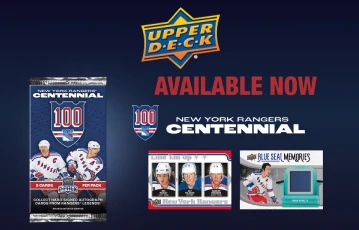
Unlike the rewards we detailed in our Packs app review, there are only a few promos on Upper Deck e-Pack. Occasionally, there are limited-time digital promo sets and achievement perks for collecting and combining parallel sets. You can find more details on these promos by browsing the banners on this page.
In our opinion, the best promo is the daily free packs. Currently, there is no welcome offer. However, you should think of the free packs as a combined welcome and existing user reward. Once you are a registered new user, you can open one free pack every 24 hours. Yep, it is as easy as that, folks.
You will receive a message in your inbox reminding you to open your daily free pack. Here are examples of what types of free packs you can open every 24 hours:
- 2024-2025 Upper Deck Extended Series
- 2025-2026 Upper Deck Series 1 Hockey
- 2026 Goodwin Champions
- 2024 Upper Deck AEW
- 2025-2026 MVP Hockey
- 2025-2026 Upper Deck Series 2 Hockey
A guide on creating a new account
Before you can open a pack or battle in the Pack Wars, you first need to create an account. In our experience, it only takes a few minutes to register. You do not even need to use an Upper Deck e-Pack promo code. Here is a guide on how to join:
-
Use the banners to visit the website.
-
Select the orange Sign Up button at the top of the page.
-
Enter your full name and US state.
-
Enter your email address and create a username and password for your account.
-
Read and accept the terms and conditions.
-
Click the verification link to verify your email.
-
Once your account is created, you can open your first free pack.
-
After that, fund your account and pull some cards.
Secure fiat payment methods to fund your account
At the time of writing, you cannot use cryptocurrency to fund your account and rip cards. Only fiat is accepted on Upper Deck e-Pack. Currently, the accepted payment methods are Visa, Mastercard, American Express, Discover and PayPal.
There are no deposit fees, and all payments are processed instantly. In our experience, as soon as your payment is processed, your funds should be reflected in your account.
Similar to the banking transactions detailed on our Slab Daddy review, there are no withdrawals on Upper Deck e-Pack. Remember that there is no buyback option for your rips. Also, Marketplace trades are at a 1:1 ratio of physical cards. You cannot receive cash for peer-to-peer trades.
In a nutshell, you cannot withdraw any funds from the brand. Instead, you can transfer your physical cards to COMC or The Authority to sell them for credit.
Our thoughts on the customer support
Compared to our Arena Club review, the customer service on Upper Deck e-Pack needs some work. We observed that there is no instant support. Without live chat or phone support, you have to wait several hours for a response.
For now, you can contact the team using the message form or via email. In our experience, it took up to three hours to receive a response. However, once we did receive a reply, our queries were answered thoroughly. The positive is that the agents are friendly and knowledgeable.
You can also contact the team on social media. The official social media channels are on X, Instagram and Facebook. You can ask the team questions, and they should respond within a few hours.
We recommend that, before contacting the support team, you browse the FAQ page. There are several topics covered. These include how to purchase packs, how Pack Wars works and details on the shipping fees.
| Customer Service |  |
|---|---|
| Available Languages: | English |
| Email: | contracts@upperdeck.com |
The desktop website is easy to use
Regardless of whether you are a newbie or a regular user, you should not have any issues using the desktop platform. The brand has gone with a white background with blue and orange hues. It works well, and the white background is welcoming.
Everything has its place on the desktop website. The informational toolkits are at the bottom of the homepage. At the top are banners for accessing the Marketplace and opening packs. The top right has your account menu, so you can see messages from your inbox.
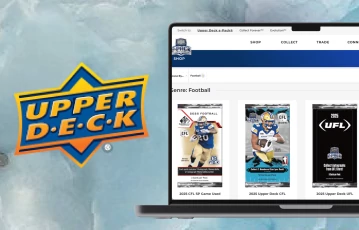
Opening packs with your PC is quick and easy. The animation reveals are standard but streamlined. One unique feature we noticed is a tutorial page. For some features, you can view YouTube videos on how to use the site. This includes a video on how to ship cards from the site.
Open packs while out and about
When we compiled our Fanatics Live review, we noted that some card breaking sites have mobile apps, while others do not. Upper Deck e-Pack forms part of the latter. There are no standalone mobile apps to download.
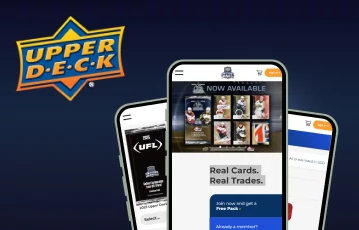
Despite no apps, you can still rip cards while out and about. There is a mobile-optimized website. The mobile site is compatible with most devices, including Android and iOS. The mobile platform mirrors the desktop website. So, you can open packs, claim your free reward and make trades on the Marketplace.
FYI, just make sure you have a stable internet connection. We used the mobile site when we had limited connectivity, and trust us, the experience wasn’t great. Way too many lags and buffering.
So, don’t be like us. Rather, ensure you have a strong connection so you can have a pleasant time while ripping cards on the go.
Final thoughts - Upper Deck e-Pack is an interesting mystery box site
Upper Deck e-Pack is an interesting mystery box site. It has been around for years and has a strong reputation. We found lots of standout features. There is a social element with the Marketplace trades and the Pack Wars. There are also lots of cards to pull, including wrestling, hockey and DC.
However, there are also some shortcomings. The lack of Pokémon and One Piece digital trading cards is hard to ignore. Also, there is no instant buyback option. It would be nice if these features were included in the future.
If you are new to card breaking, Upper Deck e-Pack is a solid option. The daily free packs mean you can always open something every 24 hours. If you want your own free pack, you need to sign up. You can use the links on this page to get that started right away; it’ll only take you a few minutes.