

Packs App Review 2026: Unbiased Insights and User Feedback on Packs App
Welcome to our Packs App review, a straight-talking summary of our thoughts on the brand. This site got a lot of trading card game fans excited when it launched in 2025, and now it's time to find out why.
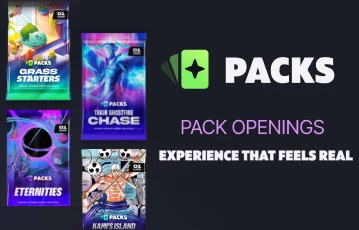
Packs App lets you rip digital packs of near-mint condition trading cards from Magic: The Gathering, Pokémon, One Piece, and Riftbound. Choose between multi-card packs and themed single pulls, with prices starting at less than 10 Coins ($10). Keep reading for our invaluable insight into the operator, the platform interface, features, odds, and whether it's worth your time.

- Rip packs from Pokémon, MTG, One Piece, and Riftbound
- Provably fair public hash/seed system
- Fiat currency and crypto accepted
- No graded slabs available
Watch out for these bonuses at Packs App
As a welcome bonus, Packs App gifts you one free rip. You can choose between three packs, which are Pokémon Freeveelutions, Magic: The Gathering Freewalkers, and One Piece Monkey Free Luffy. Each pack contains three authentic cards. There’s also a first deposit bonus for 5% extra Coins, up to 100 Coins. Coins are the virtual currency you deposit at Packs App, and they represent U.S. dollars.
Shipping Tokens are another great reward at Packs App, potentially giving you free national shipping. Read our SlabDADDY review to learn about another band that offers free shipping. At Packs App, You collect 1 Shipping Token for every $100 you deposit in a single transaction. For example, if you deposit a lump sum of $200, you’ll receive 2 Shipping Tokens. However, if you make 4 deposits of $50 each, you won’t receive any Shipping Tokens. You only need 1 Token for free U.S. shipping, so it’s well worth planning your deposits to take advantage of this promotion.
If you’d like more information about Packs App bonuses, this review will tell you everything you need to know.
First impressions of the platform’s usability
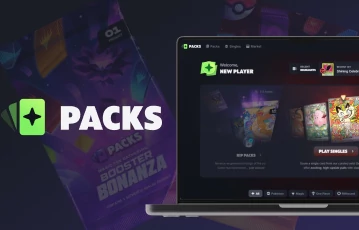
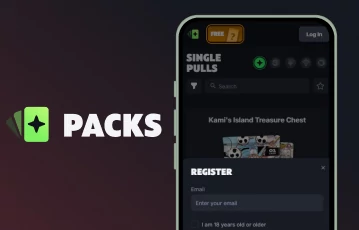
We got off to a good start at Packs App. Registration was quick and painless thanks to the ability to connect a Steam or Google account. The whole process barely took 10 seconds. Once logged in, we noticed that the platform is laid out familiarly. The Coin balance is at the top of the page, which is where we’d expect to find it based on our experience with other card rip platforms. The other main navigation links are Packs, Singles, Market, and Backpack, which is ideal as these are the four most useful areas of the site.
One thing we noticed was that there’s no link to customer support from the main menu. We needed to scroll down to the website footer and tap “Help Center”. Interestingly, this didn’t take us to a traditional Help Center—it opened a live chat window. It was only after minimizing the window that we noticed a small floating help icon. The dark grey icon on a black background means it’s incredibly well camouflaged. This isn’t the only case of grey-on-black, either. A few elements, like the search bar, don’t stand out at all, and some of the text is hard to read.
That said, the site is pleasant to use. The design feels clean, modern, and uncluttered. There’s no dedicated mobile app, but there doesn't really need to be, since the layout is optimized for mobile. On that note, this Ripit review talks about a similar web-based platform. Back to our Packs App review: although the color scheme could do with a few tweaks, it scores highly overall in terms of UX.
Payment methods at Packs App
To rip packs, first you need Coins. Coins are the in-platform currency you use to rip cards and packs. The supported payment methods vary depending on your location, but you can typically use a debit or credit card, PayPal, bank transfer (ACH), Apple Pay, or Google Pay. Compared to the limited methods discussed in this Fanatics Live review, this is a diverse selection.
Here’s how to add Coins to your Packs App account using fiat.
-
Tap the green “Add Funds” button or your current Coins balance
-
Select the package you want, or enter a custom amount
-
Tick the box to agree to the Refund Policy and Terms of Service
-
Complete the transaction in the new window
-
Return to Packs App to find your Coins in your balance
Alternatively, you can deposit one of six accepted cryptocurrencies. These are Bitcoin, Tether, Ethereum, Tron, USD Circle, and Litecoin. Just tap the crypto tab after selecting “Add Funds” and select your preferred crypto from the dropdown list.
Then, choose one of the available networks and copy the deposit address or QR code to complete the transaction. Crypto deposits qualify for Shipping Tokens in the same way as fiat deposits. Both methods are instant, private, and secure. Check out our OpenThatPack review for another card rip site that supports crypto deposits.
Backpack and withdrawals at Packs App
At Packs App, all your pulls land in the same place: your Backpack. This aptly named area is your digital inventory. This area is geared towards selling. It has built-in tools for easy sorting and bulk selling, including the ability to select all and filter by Common, Uncommon, and duplicate cards.
The Coin value is clearly displayed under each card, along with the card game, set, number, and condition. If the option to sell a card is greyed out, it’s because you need to make a deposit first. There are no limits on how many cards you can have in your Backpack, or for how long.
If you want to add a card to your permanent collection, tap “Keep” to move it to your Withdraw List. This keeps the card safe, ready to be bundled into an order and shipped to your address when you’re ready.
Pack App’s official Terms and Conditions say you have 24 hours to ship a pull after ripping a pack. However, we could move cards freely between our Backpack and Withdraw List, and there was no countdown timer or anything else to indicate a 24-hour limit. The FAQ also states you can move cards between the two areas as you wish.
Here are a few more important things to know about shipping your pulls:
- Shipping costs $7.43 anywhere in the U.S.
- Shipping is charged from your Coin balance (or by card if you’ve never deposited)
- 1 Shipping Token = free shipping on 1 order
- Average total delivery time from order date to arrival is 2 to 4 weeks
- Once your order status shows “Shipped,” you can expect to receive your cards in around 5 to 10 days
- If cards are not in stock, your order status will show “In Progress” until they have been sourced
- Maximum 50 cards per order
- Minimum value of $5 per card needed to ship
Live chat and Packs App customer service
As we touched upon earlier, the live chat icon can be a little tricky to spot at first. However, once you know where to find it, the live chat is a brilliant feature. Not only can you start a support chat, but you can also search 37+ help articles. Chances are you’ll find the answer to your question here. Otherwise, the live chat is your best bet.
In the help material, it says that support is 24/7, but replies can take up to 12 hours, though they’re usually much quicker. The automated message in the live chat says that the usual response time is within a day. In our experience, we rarely needed to wait more than an hour or two. Don’t worry, live chat replies are delivered as email messages too, so you don’t need to leave the chat window open if you’ve got places to be.
The Packs App support may not be the fastest, but everyone we’ve spoken to has been polite, knowledgeable, and genuinely helpful. There are more channels than at some much bigger industry names. As covered in our GameStop Power Packs review, you’ll only find an FAQ page and contact form there, with no live chat.
You can also skip the live chat and go straight to email. The customer service inbox is support@packs.com, and we’ve found response time to be much the same. If you’re looking for faster issue resolution, these are our top tips:
- Send your email from the address linked to your account, so the support team can find your details easily
- Provide the order number, transaction ID, or other relevant information in your message
- Share screenshots of the issue or, if it helps, screen recordings
| Customer Service |  |
|---|---|
| Available Languages: | English |
| Email: | support@packs.com |
About Packs App: privacy, security, and integrity
Packs App’s Privacy Policy, Terms of Service, Refund Policy, and Shipping Policy are neatly organized under the website footer. Each document features a clickable table of contents sidebar menu so you can get a quick view of the outline and quickly navigate to the section you need. It’s a little thing, but it shows that the brand has put care and attention into this aspect, which is reassuring.
Transparency of this level is becoming more important in this industry. For example, in our Trove review, we talk about its public live feed that shows the history of every pull, including its card value and which pack it came from.
Packs App is owned and operated by MEJMR LLC. The brand upholds high standards of business practices and follows strict protocols. This includes Know Your Customer (KYC), so you may be asked to provide official documents to verify your age, identity, and location. Packs App may also conduct credit background checks. This is done to ensure your account is legitimate and secure.
Packs App review: our final thoughts
Packs App provides rips of curated repacks, reverse-engineered to provide a simulated experience of real TCG pack opening. We love that you can open packs in demo mode first, and there’s a provably fair system so you can verify every single opening for your own peace of mind. Our Packs App review highlighted a few more unique strengths. The low entry price is a big plus, with packs starting from around 6 Coins. You can collect Shipping Tokens for free delivery right to your doorstep. Plus, there’s a live chat where you can talk to real humans if you’ve got an inquiry.
If you’re liking what you’re reading in our Packs App review, it doesn’t take a minute to sign up and check out the platform first-hand. Just follow any link on our promotional banner to ensure you get the best deal when you create your account.